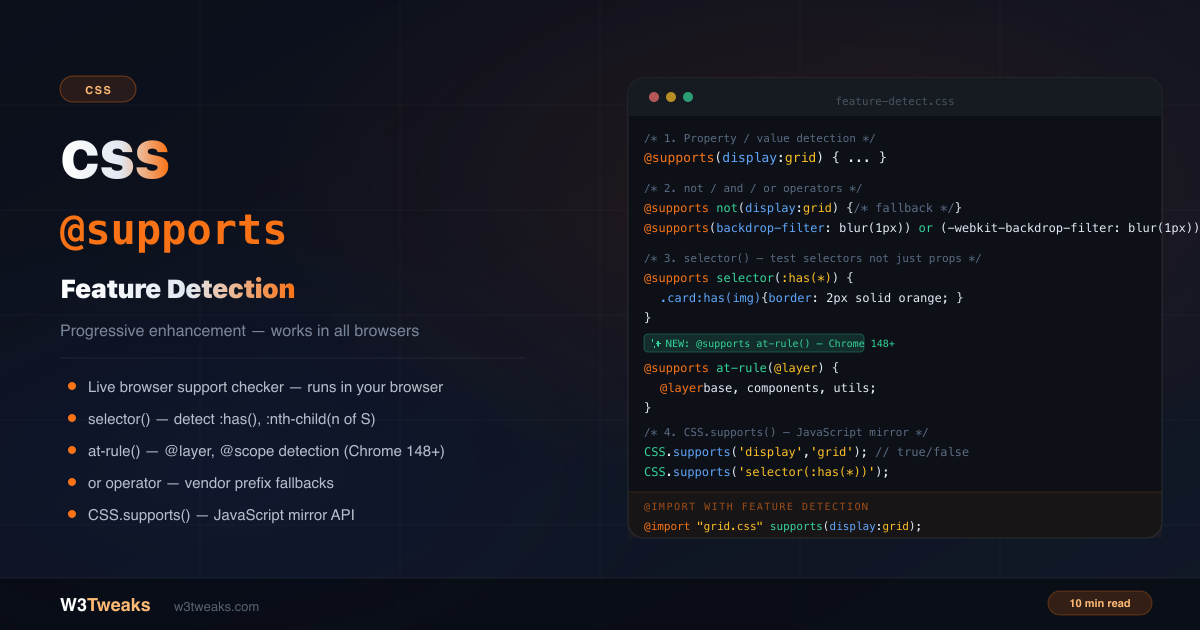
@supports is CSS feature detection — no JavaScript required. Write CSS that only applies when the browser actually supports the feature you’re using. The modern Modernizr alternative is built into CSS itself.
/* Only use grid if supported — fallback flex always works */
.gallery { display: flex; flex-wrap: wrap; }

@supports (display: grid) {
  .gallery {
    display: grid;
    grid-template-columns: repeat(auto-fill, minmax(200px, 1fr));
  }
}
This guide covers the complete @supports syntax including selector() (with the :has() empty-pseudo-class gotcha), the new at-rule() function for @layer detection, Tailwind’s supports-[] arbitrary variant, OKLCH and View Transitions detection, @supports inside @container, the double-negation parser quirk, CSS.supports() JavaScript API, and six production-ready progressive enhancement patterns. Pairs naturally with CSS Selectors Guide, CSS Container Queries, and CSS Dark Mode with OKLCH.
Live Demo
Three tabs: ① live browser support checker powered by CSS.supports() — shows exactly what your browser supports right now across 24 modern CSS features, ② interactive query builder with not/and/or operators and a live pass/fail badge, ③ six real progressive enhancement patterns including Grid→Flex fallback, backdrop-filter with or prefix, :has() enhancement, @layer gating, OKLCH wide-gamut color, and @import supports().
CSS @supports Examples — Basic Syntax
@supports wraps CSS rules in a condition block. If the browser supports the feature, the rules apply. If not, the block is ignored entirely:
/* Test a property/value pair */
@supports (property: value) {
  /* applied only if supported */
}

/* Multiple conditions */
@supports (display: grid) and (gap: 1rem) {
  .grid { display: grid; gap: 1rem; }
}
The parentheses around the declaration are required.
Why Test Values, Not Just Properties
The property name alone doesn’t tell you much. color has been supported since CSS1. What matters is the specific value:
/* This is meaningless — every browser supports display */
@supports (display: anything) { } /* always true */

/* This tests the specific value you care about */
@supports (display: grid) { } /* true only if grid layout is supported */
@supports (display: contents) { } /* true only if contents is supported */
The same applies to other properties:
/* Tests if aspect-ratio property with 16/9 is supported */
@supports (aspect-ratio: 16 / 9) { }

/* Tests if color-mix() function is supported */
@supports (color: color-mix(in srgb, red, blue)) { }

/* Tests if logical margin properties are supported */
@supports (margin-inline: auto) { }
CSS @supports not, and, or Operators
not — apply when NOT supported
Using @supports not to provide fallback styles is often cleaner than relying on cascade order:
/* Fallback styles for browsers without grid */
@supports not (display: grid) {
  .gallery {
    display: flex;
    flex-wrap: wrap;
  }
}
and — all conditions must be true
@supports (display: grid) and (grid-template-rows: masonry) {
  .masonry {
    display: grid;
    grid-template-rows: masonry;
  }
}
or — any condition may be true
The most common use case: testing vendor-prefixed alternatives:
/* Apply frosted glass only if either prefixed or standard is supported */
@supports (backdrop-filter: blur(1px)) or (-webkit-backdrop-filter: blur(1px)) {
  .nav {
    background: rgba(15, 23, 42, 0.5);
    backdrop-filter: blur(12px);
    -webkit-backdrop-filter: blur(12px);
  }
}
Always write the unprefixed version last — when both are supported, cascade order means the unprefixed one wins.
Combining operators
/* Complex condition */
@supports ((display: grid) and (gap: 1rem)) or (display: flex) {
  /* Applied if grid+gap is supported OR if flex is supported */
}

/* Parentheses group conditions */
@supports (animation: none) and
  ((transform: none) or (transform: translateX(0))) {
  /* animation and some form of transform */
}
@supports selector() Function — Test Selectors, Not Just Properties
The selector() function tests whether a CSS selector itself is valid and supported — essential for modern selectors like :has(), :nth-child(n of S), and ::marker:
/* ❌ Wrong — tests if the word "has" is a valid property value */
@supports (:has(*)) { } /* may pass even if :has() doesn't work correctly */

/* ✅ Correct — tests if :has() selector is supported */
@supports selector(:has(*)) {
  .card:has(img) { border-color: orange; }
  label:has(input:checked) { background: lightgreen; }
}
⚠ CSS @supports has() Gotcha — Empty Pseudo-Classes Return False
@supports selector(:has(*)) detecting :has() requires a non-empty argument inside :has(). Empty :has() always returns false because it’s syntactically invalid in CSS:
/* ❌ Returns FALSE even in browsers that fully support :has() */
@supports selector(:has()) { }

/* ✅ Returns TRUE in any browser supporting :has() */
@supports selector(:has(*)) { }
The same trap applies to :is(), :where(), :not(), :nth-child(... of …) — always pass a real selector inside, even a wildcard *:
@supports selector(:is(*)) { }   /* ✓ */
@supports selector(:where(*)) { } /* ✓ */
@supports selector(:not(*)) { }   /* ✓ */
selector() for modern syntax
/* :nth-child(n of selector) — the "of" syntax */
@supports selector(:nth-child(1 of .active)) {
  .item:nth-child(2 of .active) { outline: 2px solid cyan; }
}

/* ::marker pseudo-element */
@supports selector(::marker) {
  li::marker { color: orange; content: "▸ "; }
}

/* :focus-visible */
@supports selector(:focus-visible) {
  :focus { outline: none; }
  :focus-visible { outline: 2px solid blue; }
}

/* CSS Nesting — detect via the & nesting selector */
@supports selector(&) {
  .card {
    & img { border-radius: 8px; }
    & p { margin: 0; }
  }
}
at-rule() — Detect CSS At-Rules (New in 2024-25)
The newest addition to @supports: at-rule() detects whether a CSS at-rule is supported. @supports at-rule(@layer) — detecting cascade layer support was previously impossible without workarounds, since at-rules don’t have a property/value pair to test.
/* Detect @layer support */
@supports at-rule(@layer) {
  @layer base, components, utilities;

  @layer base {
    body { font-size: 16px; }
  }
}

/* Detect @scope support */
@supports at-rule(@scope) {
  @scope (.card) {
    :scope { border-radius: 12px; }
    img { width: 100%; }
  }
}

/* Detect @property (CSS Houdini) */
@supports at-rule(@property) {
  @property --hue {
    syntax: '<number>';
    initial-value: 0;
    inherits: false;
  }
}
Browser support:
at-rule()detection shipped in Chrome 128 (Oct 2024). Firefox 130+ and Safari 18+ followed. For older browsers, use a property-based proxy test —@supports (anchor-name: --a)as a proxy for@scope’s era, for example.
font-tech() and font-format()
Two specialized functions for font detection:
/* Detect COLRv1 color font support */
@supports font-tech(color-COLRv1) {
  @font-face {
    font-family: 'ColorEmoji';
    src: url('noto-color.woff2') format('woff2');
  }
}

/* Detect WOFF2 format support */
@supports font-format(woff2) {
  @font-face {
    font-family: 'MyFont';
    src: url('myfont.woff2') format('woff2');
  }
}
Currently, WOFF2 is universally supported. Use font-format() only when you specifically need to gate loading of newer font formats like OpenType variable fonts or COLRv1 color fonts.
Detecting Modern Features — OKLCH, Anchor, View Transitions
The newest CSS features need feature detection most. Three high-impact modern detections:
OKLCH and color-mix() wide-gamut detection
/* Base: sRGB color */
.brand { color: #6366f1; }

/* Enhanced: wide-gamut OKLCH for displays that support it */
@supports (color: oklch(50% 0.2 270)) {
  .brand { color: oklch(58% 0.2 270); }
}

/* color-mix() detection for derived variants */
@supports (color: color-mix(in oklch, red, blue)) {
  .brand-hover { color: color-mix(in oklch, var(--brand) 85%, white); }
}
For the complete OKLCH design-token pattern, see CSS Dark Mode.
CSS Anchor Positioning
/* Anchor positioning landed in Chrome 125+ (2024) */
@supports (anchor-name: --a) {
  .tooltip-anchor { anchor-name: --tip; }
  .tooltip {
    position-anchor: --tip;
    inset-area: top;
  }
}
View Transitions
/* View transitions for same-document navigation */
@supports (view-transition-name: root) {
  .card { view-transition-name: var(--card-id); }
  ::view-transition-old(root),
  ::view-transition-new(root) {
    animation-duration: 0.3s;
  }
}
Using @supports in Tailwind CSS
Tailwind 3.1+ ships supports-[] arbitrary variant that compiles directly to @supports queries. Tailwind CSS supports-[] arbitrary variant — how it compiles to @supports:
<!-- supports-[display:grid]:grid → @supports (display: grid) { .target { display: grid; } } -->
<div class="flex supports-[display:grid]:grid supports-[display:grid]:grid-cols-3">
  Fallback flex, enhanced to 3-column grid where supported
</div>

<!-- Underscores for spaces in arbitrary values -->
<div class="supports-[transform-origin:5%_5%]:rotate-45">
  Only applies when transform-origin with that exact value is supported
</div>

<!-- Property-only shorthand (Tailwind 3.3+) -->
<div class="supports-backdrop-filter:backdrop-blur-md">
  Frosted glass when backdrop-filter is supported
</div>

<!-- not-supports variant for fallback styling -->
<div class="not-supports-[display:grid]:flex not-supports-[display:grid]:flex-wrap">
  Only applies when grid is NOT supported
</div>
Tailwind CSS feature query mapping:
| Tailwind class | Compiled CSS |
|---|---|
supports-[display:grid]:grid | @supports (display: grid) { .grid {...} } |
not-supports-[display:grid]:flex | @supports not (display: grid) { .flex {...} } |
supports-backdrop-filter:bg-white/30 | @supports (backdrop-filter: blur(...)) { ... } |
supports-[selector(:has(*))]:bg-red-100 | @supports selector(:has(*)) { ... } |
The underscore-for-space rule (supports-[transform-origin:5%_5%]) is the same convention Tailwind uses for all arbitrary values.
@import with supports() — Conditional Stylesheet Loading
Apply @supports directly on @import to conditionally load entire stylesheets:
/* Only load grid.css when display: grid is supported */
@import "grid-layout.css" supports(display: grid);

/* Load mask styles only when mask-image is supported */
@import "masks.css" supports(
  (mask-image: linear-gradient(black, black)) or
  (-webkit-mask-image: linear-gradient(black, black))
);

/* Combine with media query */
@import "large-screen.css"
  supports(display: grid)
  screen and (min-width: 1024px);
This reduces network requests for browsers that would never use the stylesheet.
CSS.supports() JavaScript API — Both Forms
Every @supports query has a JavaScript equivalent via CSS.supports():
// Form 1: two arguments — property and value
CSS.supports('display', 'grid');        // true/false
CSS.supports('aspect-ratio', '16 / 9'); // true/false

// Form 2: single condition string — matches @supports syntax exactly
CSS.supports('(display: grid)');
CSS.supports('selector(:has(*))');
CSS.supports('not (display: grid)');
CSS.supports('(backdrop-filter: blur(1px)) or (-webkit-backdrop-filter: blur(1px))');
CSS.supports('at-rule(@layer)');
⚠ Two-argument form footgun: The two-argument form only accepts property/value pairs.
CSS.supports('selector(:has(*))')andCSS.supports('at-rule(@layer)')require the single-string form — passing them as two arguments returnsfalse.
Real-world usage
// Feature-gate JavaScript behavior
if (CSS.supports('selector(:has(*))')) {
  // :has() works — no JS-based parent tracking needed
} else {
  document.querySelectorAll('label').forEach(label => {
    label.querySelector('input')?.addEventListener('change', () => {
      label.classList.toggle('has-checked', label.querySelector('input').checked);
    });
  });
}

// Load a polyfill only if needed
if (!CSS.supports('(container-type: inline-size)')) {
  const script = document.createElement('script');
  script.src = '/polyfills/container-queries.js';
  document.head.appendChild(script);
}
6 Progressive Enhancement Patterns
Pattern 1: Grid with Flex Fallback
.gallery {
  display: flex;
  flex-wrap: wrap;
  gap: 1rem;
}

.gallery-item { flex: 1 1 200px; }

@supports (display: grid) {
  .gallery {
    display: grid;
    grid-template-columns: repeat(auto-fill, minmax(200px, 1fr));
  }
  .gallery-item { flex: unset; }
}
Pattern 2: Frosted Glass with Opaque Fallback
.nav { background: rgba(15, 23, 42, 0.95); }

@supports (backdrop-filter: blur(1px)) or (-webkit-backdrop-filter: blur(1px)) {
  .nav {
    background: rgba(15, 23, 42, 0.5);
    backdrop-filter: blur(12px) saturate(160%);
    -webkit-backdrop-filter: blur(12px) saturate(160%);
  }
}
Pattern 3: :has() Parent Selector Enhancement
.card { border: 1px solid #e2e8f0; }

@supports selector(:has(*)) {
  .card:has(img) {
    border-color: orange;
    box-shadow: 0 0 0 2px rgba(249, 115, 22, 0.2);
  }
  label:has(input:checked) {
    background: rgba(52, 211, 153, 0.1);
  }
}
Pattern 4: @layer Architecture Gating
.button { background: blue; color: white; }
.button--danger { background: red; }

@supports at-rule(@layer) {
  @layer reset, base, components, utilities;

  @layer components {
    .button { background: blue; color: white; }
    .button--danger { background: red; }
  }

  @layer utilities {
    .mt-0 { margin-top: 0 !important; }
  }
}
Pattern 5: Scroll-Driven Animations
.reveal { opacity: 1; transform: none; }

@supports (animation-timeline: scroll()) {
  .reveal {
    opacity: 0;
    transform: translateY(20px);
    animation: reveal-fade linear both;
    animation-timeline: view();
    animation-range: entry 0% entry 30%;
  }

  @keyframes reveal-fade {
    from { opacity: 0; transform: translateY(20px); }
    to   { opacity: 1; transform: none; }
  }
}
Pattern 6: @supports inside @container (Component-Scoped Detection)
Modern component CSS — combine @supports container queries with feature detection for context-aware progressive enhancement:
.card {
  container-type: inline-size;
  container-name: card;
}

@container card (inline-size > 400px) {
  /* Wide card layout */
  .card-content {
    display: flex;
    gap: 1rem;
  }

  /* Plus subgrid when the browser supports it */
  @supports (grid-template-columns: subgrid) {
    .card-content {
      display: grid;
      grid-template-columns: subgrid;
    }
  }
}
For the complete container query story, see CSS Container Queries.
Common Gotchas
@supports tests parsing, not rendering quality
@supports tests whether the browser parses the declaration as valid syntax — not whether it implements it correctly. A browser that partially implements a feature may still pass the test.
For bleeding-edge features, check actual implementation quality beyond just the @supports test.
The double-negation gotcha — invalid syntax in not() returns true
A subtle parser quirk: @supports not (invalid-syntax) returns true in browsers that can’t parse the test expression. The browser can’t confirm non-support of something it can’t even understand:
/* This block applies in OLD browsers that don't recognize will-it-blend */
@supports not (will-it-blend: yes) {
  /* Triggers anywhere the property is unknown */
}

/* Double negation correctly tests support */
@supports not (not (display: grid)) {
  /* Only applies when display: grid IS supported */
}
For safe negative feature detection, always test against a value you know is valid syntax. Don’t rely on not for typo detection.
Nesting @supports
@supports can be nested inside @media and vice versa:
@media (min-width: 768px) {
  @supports (display: grid) {
    .sidebar { grid-area: sidebar; }
  }
}

@supports (container-type: inline-size) {
  @media (prefers-color-scheme: dark) {
    .card { color-scheme: dark; }
  }
}
@supports doesn’t work for @media features
You can’t test media features with @supports:
/* ❌ Wrong — @supports is for CSS properties/selectors, not media features */
@supports (prefers-color-scheme: dark) { } /* always false */

/* ✅ Correct — use @media for media features */
@media (prefers-color-scheme: dark) { }
The @when/@else future syntax
A proposed extension to CSS conditional rules would add @when and @else:
/* Proposed — not yet implemented in any browser today */
@when supports(display: grid) {
  .gallery { display: grid; }
} @else {
  .gallery { display: flex; }
}
Approved by the CSSWG but not shipped currently.
Browser Support
| Feature | Chrome | Firefox | Safari | Baseline |
|---|---|---|---|---|
@supports (core) | 28+ | 22+ | 9+ | ✅ since 2015 |
selector() function | 83+ | 69+ | 14.1+ | ✅ |
font-tech() / font-format() | 106+ | 105+ | 17+ | ✅ |
at-rule() | 128+ | 130+ | 18+ | ✅ since 2024 |
CSS.supports() JS API | 28+ | 22+ | 9+ | ✅ since 2015 |
Tailwind supports-[] variant | n/a (Tailwind 3.1+) | n/a | n/a | n/a |
@supports itself has 99%+ global coverage. Safe in every modern browser.
Key Takeaways
- CSS feature detection — no JavaScript needed.
@supportsis pure CSS; the modern Modernizr alternative is built in - Test values not just property names —
(display: grid)tests thegridvalue specifically - Write base styles first, then layer
@supportsenhancements on top — old browsers get the base, modern browsers get the upgrade @supports notapplies styles when a feature is missing;andrequires all conditions;oraccepts any (perfect for vendor-prefixed alternatives)selector()tests CSS selectors — use it for:has(),:nth-child(n of S),::marker, and CSS nesting (selector(&))- The
:has()empty-pseudo gotcha:selector(:has())always returns false. Always pass a real selector — even just*— inside:has(),:is(),:where(),:not() at-rule()(Chrome 128+, Firefox 130+, Safari 18+) detects whether CSS at-rules like@layer,@scope,@propertyare supported- OKLCH / View Transitions / Anchor Positioning all have clean
@supportsdetection — gate the new features safely - Tailwind’s
supports-[]arbitrary variant (3.1+) compiles directly to@supportsqueries — underscore-for-space rule,not-supports-[]for fallback @import "file.css" supports(...)conditionally loads stylesheets — reduces requestsCSS.supports()is the JavaScript mirror — the two-argument form doesn’t acceptselector()orat-rule()strings, only property/value pairs@supportsinside@containergives component-scoped feature detection — combine both for context-aware progressive enhancement- Double-negation gotcha:
@supports not (invalid-syntax)returns true in browsers that can’t parse the test. Don’t rely onnotfor typo detection @supportstests parsing, not rendering quality — bleeding-edge features may parse but behave differently across implementations
FAQ
What is CSS @supports?
@supports is a CSS at-rule that conditionally applies CSS rules only when the browser supports the specified feature. It’s pure-CSS feature detection — the modern Modernizr alternative built into the browser. Write base styles that work everywhere, then layer enhanced styles inside @supports blocks for browsers that support the feature.
@supports vs @media — what’s the difference?
@media queries test device/viewport conditions (screen width, color scheme, print, hover capability). @supports queries test CSS feature support — whether a specific property, value, selector, or at-rule is implemented in the current browser. They can be nested inside each other.
How do I detect if :has() is supported?
Use @supports selector(:has(*)) — not @supports (:has(*)) and not @supports selector(:has()). The selector() function correctly tests selector validity, and the :has() argument cannot be empty (:has() is invalid syntax). Pass a real selector like * inside. Same rule for :is(), :where(), :not().
What is CSS.supports() in JavaScript?
CSS.supports() is the JavaScript version of @supports. It accepts either two arguments (property, value) or a single condition string matching @supports syntax. Returns true if the browser supports the feature. Watch out: the two-argument form only accepts property/value pairs — selector() and at-rule() tests require the single-string form.
What does @supports not do?
@supports not (property: value) applies its contents when the browser does NOT support the feature. Used to write explicit fallback styles rather than relying on cascade order. But beware the double-negation gotcha: @supports not (invalid-syntax) returns true in browsers that can’t parse the test (they can’t confirm non-support of something they don’t understand).
What is the at-rule() function in @supports?
at-rule() is the @supports function that detects whether a CSS at-rule is supported. @supports at-rule(@layer) checks if @layer works in the current browser. This was previously impossible without workarounds. Shipped in Chrome 128 (Oct 2024), Firefox 130+, Safari 18+ — usable in production today.
Does @supports override cascade layer order?
No. @supports is a conditional group at-rule — it doesn’t add specificity or change layer order. Rules inside an @supports block still belong to whatever @layer they were declared in. Layer precedence wins over @supports conditionals:
@layer base, override;

@layer base {
  @supports (display: grid) {
    .card { color: red; }  /* in base layer */
  }
}

@layer override {
  .card { color: blue; }  /* always wins — higher layer */
}
@supports not working — why?
The 4 most common reasons @supports queries fail unexpectedly: (1) Missing parentheses — (property: value) requires them. (2) Testing the property name instead of a value — @supports (display: anything) is always true; you need @supports (display: grid). (3) Empty :has() / :is() / :where() in selector() — pass * inside, not nothing. (4) Trying to test @media features — @supports (prefers-color-scheme: dark) is always false; that’s a @media test, not @supports. The 5th hidden one: combining not with and/or needs careful parenthesization (not ((a) and (b)) ≠ not (a) and (b)).