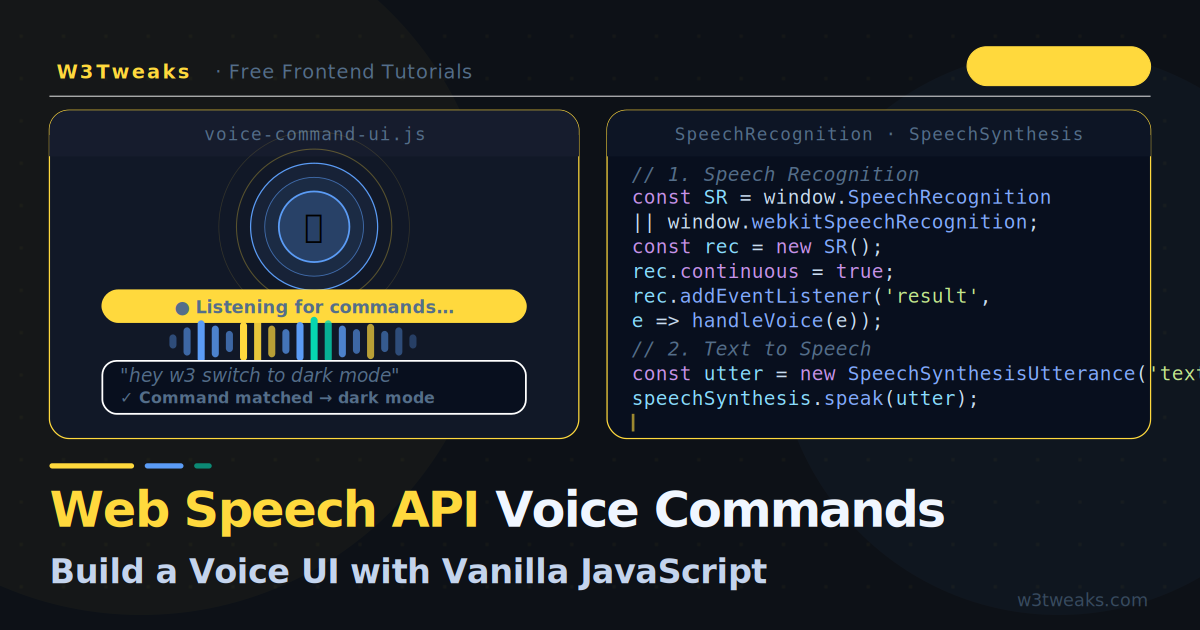
Voice interfaces are everywhere — Siri, Alexa, Google Assistant, and now every AI product you use has some form of voice input. What most developers do not realise is that the browser already has a native Voice API built in, available with zero dependencies, no API keys, and no cloud service calls.
The Web Speech API has two parts:
SpeechRecognition— converts spoken audio into text (speech-to-text)SpeechSynthesis— converts text into spoken audio (text-to-speech)
Together they let you build a complete voice command interface that runs entirely in the browser. This tutorial builds one from scratch — wake word detection, command matching, visual feedback, and spoken responses. The MDN reference for the Web Speech API is the canonical spec if you want the full surface area; this guide focuses on the patterns you’ll actually use in production. To turn voice input into an AI response, pair this with calling the OpenAI API from vanilla JavaScript — feed the recognised transcript as the user message and pipe the response through SpeechSynthesis. For a polished voice-driven chat experience, the chatbot widget guide walks through the UI component this connects to.
Live Demo
Tab 2: say 'Hey W3' then a command (dark mode, scroll down, what time is it). Chrome/Edge only.
Browser Support
const hasSpeechRecognition =
  'SpeechRecognition' in window || 'webkitSpeechRecognition' in window;

const hasSpeechSynthesis = 'speechSynthesis' in window;| Browser | SpeechRecognition | SpeechSynthesis |
|---|---|---|
| Chrome / Edge | ✅ Full support | ✅ Full support |
| Safari 15+ | ✅ With webkit prefix | ✅ Full support |
| Firefox | ❌ Behind flag | ✅ Full support |
Chrome and Edge have the best recognition quality. Safari works well for basic use. Always feature-detect and gracefully degrade.
Part 1 — Speech Recognition (Voice → Text)
Basic Setup
// Normalise the webkit prefix
const SpeechRecognition =
  window.SpeechRecognition || window.webkitSpeechRecognition;

if (!SpeechRecognition) {
  console.warn('Speech Recognition not supported in this browser');
}

const recognition = new SpeechRecognition();
Key Configuration Options
recognition.lang       = 'en-US';   // Language/dialect
recognition.continuous = false;      // Stop after first result (default)
recognition.interimResults = false;  // Only return final results (default)
recognition.maxAlternatives = 1;     // Number of alternative transcriptions
Listening for Results
recognition.addEventListener('result', (event) => {
  // event.results is a SpeechRecognitionResultList
  // Each result has a list of alternatives with transcripts and confidence scores

  const result     = event.results[event.resultIndex];
  const transcript = result[0].transcript.trim().toLowerCase();
  const confidence = result[0].confidence; // 0–1

  console.log(`Heard: "${transcript}" (${Math.round(confidence * 100)}% confident)`);
});

recognition.addEventListener('error', (event) => {
  console.error('Recognition error:', event.error);
  // Common errors: 'no-speech', 'aborted', 'not-allowed', 'network'
});

recognition.addEventListener('end', () => {
  // Fires when recognition stops — restart if continuous mode needed
  console.log('Recognition ended');
});

// Start listening
recognition.start();
Interim Results — Real-Time Transcription
Set interimResults: true to see the transcription update as the user speaks, just like Google Docs voice typing:
recognition.interimResults = true;

recognition.addEventListener('result', (event) => {
  let finalText   = '';
  let interimText = '';

  for (const result of event.results) {
    if (result.isFinal) {
      finalText   += result[0].transcript;
    } else {
      interimText += result[0].transcript;
    }
  }

  // Show interim text in a dimmed style
  document.getElementById('output').innerHTML =
    `<span class="final">${finalText}</span>` +
    `<span class="interim">${interimText}</span>`;
});
Part 2 — Continuous Listening
By default, recognition stops after the first result. For a persistent voice interface you need to restart it automatically:
class VoiceListener {
  constructor() {
    this.recognition = new SpeechRecognition();
    this.recognition.continuous    = false; // We manage restarts manually
    this.recognition.interimResults = true;
    this.recognition.lang           = 'en-US';

    this.isListening = false;
    this.onTranscript = null; // callback

    this.recognition.addEventListener('result',  e => this.#onResult(e));
    this.recognition.addEventListener('end',     () => this.#onEnd());
    this.recognition.addEventListener('error',   e => this.#onError(e));
  }

  start() {
    if (this.isListening) return;
    this.isListening = true;
    this.recognition.start();
  }

  stop() {
    this.isListening = false;
    this.recognition.stop();
  }

  #onResult(event) {
    const result     = event.results[event.results.length - 1];
    const transcript = result[0].transcript.trim().toLowerCase();
    const isFinal    = result.isFinal;

    this.onTranscript?.({ transcript, isFinal, confidence: result[0].confidence });
  }

  #onEnd() {
    // Auto-restart if we should still be listening
    if (this.isListening) {
      // Small delay prevents rapid restart loop on mobile
      setTimeout(() => {
        try { this.recognition.start(); }
        catch { /* already started */ }
      }, 100);
    }
  }

  #onError(event) {
    if (event.error === 'not-allowed') {
      this.isListening = false;
      console.error('Microphone permission denied');
    }
    // 'no-speech' and 'aborted' are normal — ignore them
  }
}
Part 3 — Command Matching
The heart of a voice command UI is matching transcripts to actions. Three approaches from simple to powerful:
Exact Match
const COMMANDS = {
  'go home':       () => navigate('/'),
  'open settings': () => openSettings(),
  'dark mode':     () => toggleDarkMode(),
  'scroll down':   () => window.scrollBy(0, 300),
};

function handleTranscript(transcript) {
  const action = COMMANDS[transcript];
  if (action) {
    action();
    return true;
  }
  return false;
}
Contains Match (Flexible)
const COMMANDS = [
  { phrases: ['go home', 'home page', 'homepage'],  action: () => navigate('/') },
  { phrases: ['dark mode', 'dark theme', 'night'],  action: () => setTheme('dark') },
  { phrases: ['light mode', 'light theme', 'day'],  action: () => setTheme('light') },
  { phrases: ['scroll down', 'go down', 'page down'],action: () => window.scrollBy(0,400) },
  { phrases: ['scroll up', 'go up', 'page up'],      action: () => window.scrollBy(0,-400) },
];

function matchCommand(transcript) {
  for (const cmd of COMMANDS) {
    if (cmd.phrases.some(p => transcript.includes(p))) {
      cmd.action();
      return true;
    }
  }
  return false;
}
Regex Match (Powerful)
const COMMANDS = [
  {
    // "search for flexbox" / "find grid layout" / "look up animations"
    pattern: /(?:search|find|look up)\s+(?:for\s+)?(.+)/,
    action: (match) => search(match[1]),
  },
  {
    // "go to JavaScript" / "open CSS page" / "show HTML tutorials"
    pattern: /(?:go to|open|show)\s+(.+?)(?:\s+page|s)?\s*$/,
    action: (match) => navigate(match[1]),
  },
  {
    // "read the article" / "read this page"
    pattern: /read\s+(?:the\s+)?(?:article|page|this)/,
    action: () => readPage(),
  },
];

function matchCommand(transcript) {
  for (const cmd of COMMANDS) {
    const match = transcript.match(cmd.pattern);
    if (match) {
      cmd.action(match);
      return true;
    }
  }
  return false;
}
Part 4 — Wake Word Detection
A wake word prevents the UI from reacting to every background sound. Only trigger commands after hearing a specific word like “Hey W3” or “Computer”:
class WakeWordListener extends VoiceListener {
  constructor(wakeWord = 'hey w3') {
    super();
    this.wakeWord  = wakeWord.toLowerCase();
    this.isAwake   = false;
    this.sleepTimer = null;

    this.onTranscript = ({ transcript, isFinal }) => {
      if (!this.isAwake) {
        // Check for wake word in any transcript
        if (transcript.includes(this.wakeWord)) {
          this.#wake();
        }
        return;
      }

      // We're awake — process commands
      if (isFinal) {
        const cleaned = transcript.replace(this.wakeWord, '').trim();
        if (cleaned) {
          this.onCommand?.(cleaned);
          this.#resetSleepTimer();
        }
      }
    };
  }

  #wake() {
    this.isAwake = true;
    this.onWake?.();
    this.#resetSleepTimer();
  }

  #sleep() {
    this.isAwake = false;
    this.onSleep?.();
  }

  #resetSleepTimer() {
    clearTimeout(this.sleepTimer);
    // Auto-sleep after 8 seconds of no commands
    this.sleepTimer = setTimeout(() => this.#sleep(), 8000);
  }
}

// Usage
const listener = new WakeWordListener('hey w3');
listener.onWake    = () => console.log('Listening for commands…');
listener.onSleep   = () => console.log('Going to sleep…');
listener.onCommand = (cmd) => matchCommand(cmd);
listener.start();
Part 5 — Text-to-Speech (Spoken Responses)
SpeechSynthesis lets the browser speak back to the user:
function speak(text, options = {}) {
  // Cancel any current speech
  window.speechSynthesis.cancel();

  const utterance = new SpeechSynthesisUtterance(text);

  utterance.lang   = options.lang   ?? 'en-US';
  utterance.rate   = options.rate   ?? 1.0;   // 0.1–10
  utterance.pitch  = options.pitch  ?? 1.0;   // 0–2
  utterance.volume = options.volume ?? 1.0;   // 0–1

  // Choose a specific voice
  const voices = window.speechSynthesis.getVoices();
  const preferred = voices.find(v =>
    v.lang === 'en-US' && v.name.includes('Google')
  ) ?? voices.find(v => v.lang.startsWith('en'));

  if (preferred) utterance.voice = preferred;

  utterance.addEventListener('start', () => console.log('Speaking…'));
  utterance.addEventListener('end',   () => console.log('Done speaking'));
  utterance.addEventListener('error', (e) => console.error('Speech error:', e.error));

  window.speechSynthesis.speak(utterance);
}
Safari note:
getVoices()is asynchronous in Safari — call it inside thevoiceschangedevent or wrap in a small delay.
function getVoices() {
  return new Promise(resolve => {
    const voices = window.speechSynthesis.getVoices();
    if (voices.length) { resolve(voices); return; }
    window.speechSynthesis.addEventListener('voiceschanged', () => {
      resolve(window.speechSynthesis.getVoices());
    }, { once: true });
  });
}
Part 6 — Putting It All Together
A complete voice command system with visual feedback:
class VoiceCommandUI {
  constructor(config) {
    this.commands  = config.commands  ?? [];
    this.wakeWord  = config.wakeWord  ?? 'computer';
    this.responses = config.responses ?? {};

    this.listener = new WakeWordListener(this.wakeWord);
    this.listener.onWake    = () => this.#onWake();
    this.listener.onSleep   = () => this.#onSleep();
    this.listener.onCommand = (t) => this.#handleCommand(t);

    // Visual indicator element
    this.indicator = document.getElementById(config.indicatorId ?? 'voice-indicator');
  }

  start() {
    this.listener.start();
    this.#setStatus('idle', `Say "${this.wakeWord}" to activate`);
  }

  #onWake() {
    this.#setStatus('listening', 'Listening for commands…');
    speak(this.responses.wake ?? 'Yes?');
  }

  #onSleep() {
    this.#setStatus('idle', `Say "${this.wakeWord}" to activate`);
  }

  #handleCommand(transcript) {
    // Try each command
    for (const cmd of this.commands) {
      const matched = Array.isArray(cmd.phrases)
        ? cmd.phrases.some(p => transcript.includes(p))
        : cmd.pattern?.test(transcript);

      if (matched) {
        this.#setStatus('executing', `Running: "${transcript}"`);
        const result = cmd.action(transcript);
        if (result?.response) speak(result.response);
        return;
      }
    }

    // No match
    this.#setStatus('error', `Didn't understand: "${transcript}"`);
    speak(this.responses.unknown ?? "Sorry, I didn't understand that command.");
  }

  #setStatus(state, message) {
    if (!this.indicator) return;
    this.indicator.dataset.state = state;
    this.indicator.querySelector('.status-text').textContent = message;
  }
}

// Initialise
const voiceUI = new VoiceCommandUI({
  wakeWord:    'hey w3',
  indicatorId: 'voice-indicator',
  responses: {
    wake:    'Ready. What would you like to do?',
    unknown: "I didn't catch that. Try: scroll down, dark mode, or go home.",
  },
  commands: [
    {
      phrases: ['dark mode', 'dark theme'],
      action: () => {
        document.documentElement.classList.add('dark');
        return { response: 'Switching to dark mode.' };
      }
    },
    {
      phrases: ['light mode', 'light theme'],
      action: () => {
        document.documentElement.classList.remove('dark');
        return { response: 'Switching to light mode.' };
      }
    },
    {
      phrases: ['scroll down', 'page down'],
      action: () => {
        window.scrollBy({ top: 400, behavior: 'smooth' });
        return { response: 'Scrolling down.' };
      }
    },
    {
      phrases: ['scroll up', 'page up', 'back to top'],
      action: () => {
        window.scrollTo({ top: 0, behavior: 'smooth' });
        return { response: 'Scrolling to top.' };
      }
    },
    {
      pattern: /(?:search|find|look up)\s+(?:for\s+)?(.+)/,
      action: (t) => {
        const query = t.match(/(?:search|find|look up)\s+(?:for\s+)?(.+)/)?.[1];
        window.location.href = `/search?q=${encodeURIComponent(query)}`;
        return { response: `Searching for ${query}.` };
      }
    },
  ]
});

voiceUI.start();
The Visual Indicator
A pulsing microphone indicator gives the user essential feedback about the current state:
<div id="voice-indicator" data-state="idle">
  <div class="vi-ring"></div>
  <div class="vi-mic">🎤</div>
  <div class="status-text">Say "Hey W3" to activate</div>
</div>
#voice-indicator {
display: flex;
flex-direction: column;
align-items: center;
gap: 10px;
position: relative;
}
.vi-ring {
width: 60px;
height: 60px;
border-radius: 50%;
border: 2px solid rgba(91,156,246,.3);
transition: border-color .3s;
}
.vi-mic {
position: absolute;
top: 50%; left: 50%;
transform: translate(-50%, -60%);
font-size: 24px;
}
/* State: idle */
[data-state="idle"] .vi-ring { border-color: rgba(91,156,246,.2) }
/* State: listening — pulsing ring */
[data-state="listening"].vi-ring {
border-color: #5b9cf6;
animation: vi-pulse 1s ease-in-out infinite;
}
/* State: executing */
[data-state="executing"].vi-ring { border-color: #06d6b0 }
/* State: error */
[data-state="error"] .vi-ring { border-color: #f87171 }
@keyframes vi-pulse {
0%,100% { transform: scale(1); opacity: 1 }
50% { transform: scale(1.12); opacity: .7 }
}Privacy and Permissions
Speech recognition requires microphone access. The browser shows a permission prompt automatically on recognition.start(). Always:
- Ask for permission in response to a user gesture (button click), never on page load
- Tell users clearly that their speech is being processed
- Add a visible stop button so users can cancel at any time
- Note that in Chrome, audio is sent to Google’s servers for processing — disclose this
// Always trigger from a user gesture
document.getElementById('startBtn').addEventListener('click', () => {
  voiceUI.start(); // OK — inside click handler
});

// Never do this — no user gesture
window.addEventListener('load', () => {
  voiceUI.start(); // ❌ Will be blocked by browser
});
Key Takeaways
- The Web Speech API is built into Chrome, Edge, and Safari — zero dependencies, zero API keys
SpeechRecognitionconverts voice to text;SpeechSynthesisconverts text to speech- Use
interimResults: truefor real-time transcription updates as the user speaks - Manage continuous listening by restarting recognition in the
endevent handler - Wake word detection prevents commands from firing on background noise
- Regex command matching is the most flexible pattern — handles natural language variations
- Always request microphone access from a user gesture, never automatically on page load
- Chrome sends audio to Google’s servers — disclose this clearly to users
SpeechSynthesis.getVoices()is async in Safari — wrap it in avoiceschangedlistener
FAQ
What is the Web Speech API?
The Web Speech API is a built-in browser interface that gives JavaScript access to the device’s speech recognition (microphone → text) and speech synthesis (text → spoken audio). It’s part of every modern browser — no installation, no API key, no service call. The two primary objects are SpeechRecognition for voice input and SpeechSynthesis for voice output. Together they let you build voice-driven interfaces with pure browser JavaScript.
Does the Web Speech API work offline?
SpeechSynthesis (text-to-speech) works fully offline — voices ship with the OS. SpeechRecognition (speech-to-text) depends on the browser: Chrome and Edge stream audio to Google’s servers for transcription, so they require internet. Safari uses on-device recognition (offline). Firefox doesn’t implement SpeechRecognition. For fully-offline speech recognition across browsers you’d need a WebAssembly model like Whisper.cpp, but that’s a much bigger build.
Which browsers support the Web Speech API?
SpeechRecognition is supported in Chrome 33+, Edge 79+, and Safari 14.1+ (under the webkitSpeechRecognition prefix until recently). Firefox does not implement it. SpeechSynthesis is supported in all major browsers. For Firefox users, fall back to a text input or show a “voice not supported in this browser” message. About 85% of global users are on a browser with both APIs.
How do I detect a wake word like “Hey Site”?
Start SpeechRecognition in continuous mode (recognition.continuous = true), then in the onresult handler check whether the transcript starts with your wake phrase. When matched, parse the rest of the transcript as the command and reset state. The full wake-word + command-matching loop is covered in the Continuous Listening section above. For low-power background detection (always-on listening across pages), use a Service Worker plus a small wake-word model — that’s a separate tutorial.
Is the Web Speech API accessible?
It’s an accessibility feature (alternative input for users who can’t type), but it shouldn’t be the only input. Always offer keyboard input alongside voice. Respect prefers-reduced-motion for any pulsing mic indicators. Announce voice events to screen readers via aria-live="polite". Microphone permission must be triggered by a user gesture (clicking a “Start listening” button) — never request it on page load, which both confuses users and gets blocked by browsers.
Can I use voice input to drive an AI chatbot?
Yes — that’s the most common modern use case. Capture the recognised text as the user message, send it to the OpenAI API or another LLM, then pipe the response back through SpeechSynthesis.speak(). The full pattern: SpeechRecognition.onresult → fetch to AI endpoint → stream response into both the DOM and a SpeechSynthesisUtterance. Voice-driven version of the chatbot widget covered in add a chatbot widget to any website.