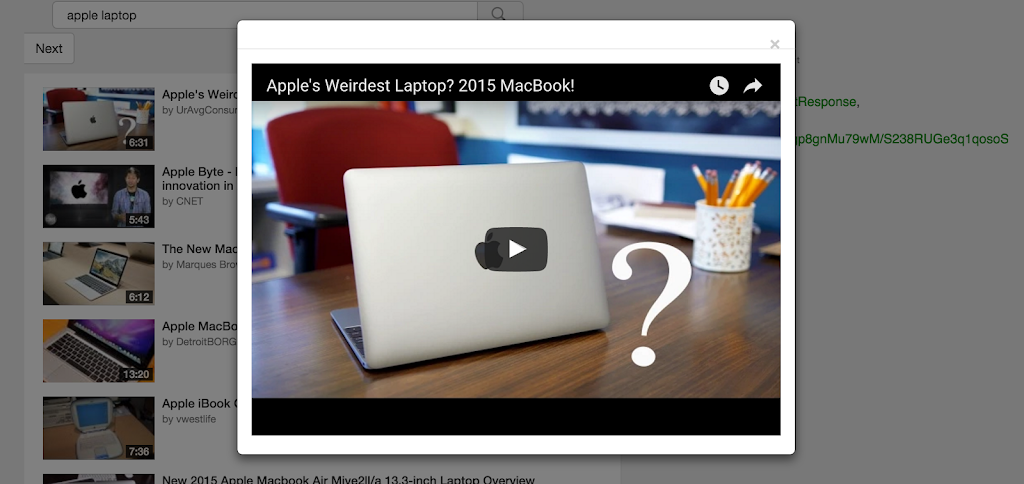
This tutorial explains how to embed dynamic YouTube videos or play YouTube videos in Fancybox / lightbox on clicking the YouTube thumbnail. W3Tweaks added the YouTube videos in Fancybox on top of the YouTube API video search tutorial. From this tutorial users can open YouTube videos in Fancybox with dynamic YouTube videos.
How to open YouTube videos in Fancybox? Learn how to play YouTube videos in Fancybox.
JavaScript Code
`	var $midlayer = $('.modal-body');
	$('#videoModal').on('show.bs.modal', function (event) {
	var vid = event.relatedTarget.rel;
	var url = "//youtube.com/embed/"+vid+"?autoplay=0&autohide=1&modestbranding=1&rel=1&hd=1";
	var iframe = '<iframe />';
	var width_f = '100%';
	var height_f = 400;
	var frameborder = 0;
	jQuery(iframe, {
		name: 'videoframe',
		id: 'videoframe',
		src: url,
		width: width_f,
		height: height_f,
		frameborder: 0,
		class: 'youtube-player',
		type: 'text/html',
		allowfullscreen: true
	}).appendTo($midlayer); });
	$('#videoModal').on('hide.bs.modal', function (event) {
		$('div.modal-body').html('');
	});
`
FancyBox CSS
`<div class="modal fade" id="videoModal" tabindex="-1" role="dialog" aria-labelledby="videoModal" aria-hidden="true">
<div class="modal-dialog">
<div class="modal-content">
<div class="modal-header">
<button type="button" class="close" data-dismiss="modal" aria-hidden="true">×</button>
</div>
<div class="modal-body"></div>
</div>
</div>
</div>
`FancyBox / Modal window