By following the below steps, we can create the HTML files successfully and able to run your first HTML page in browsers.
Step 1: Open any text editor which you have in your computer. I’m using sublime text editor which is free.
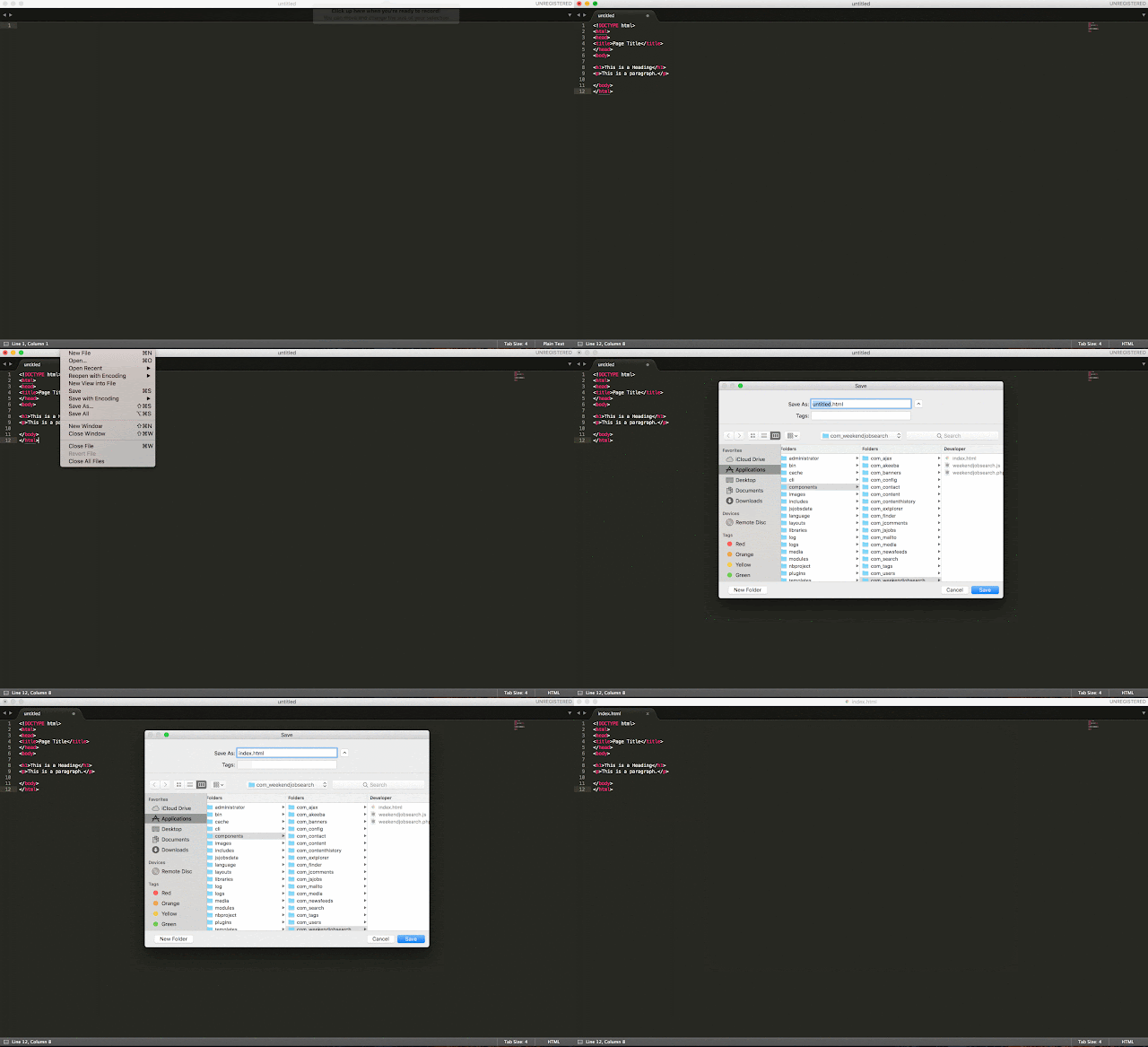
Step 2: Write the HTML code inside the text editor and save as “index.html” or “index.htm” in your folder. Find the screenshot below.
Step 3: Navigate to index.html file where you have saved. Right click and open with any of your browser. I’m using Google chrome browser to run the HTML file.
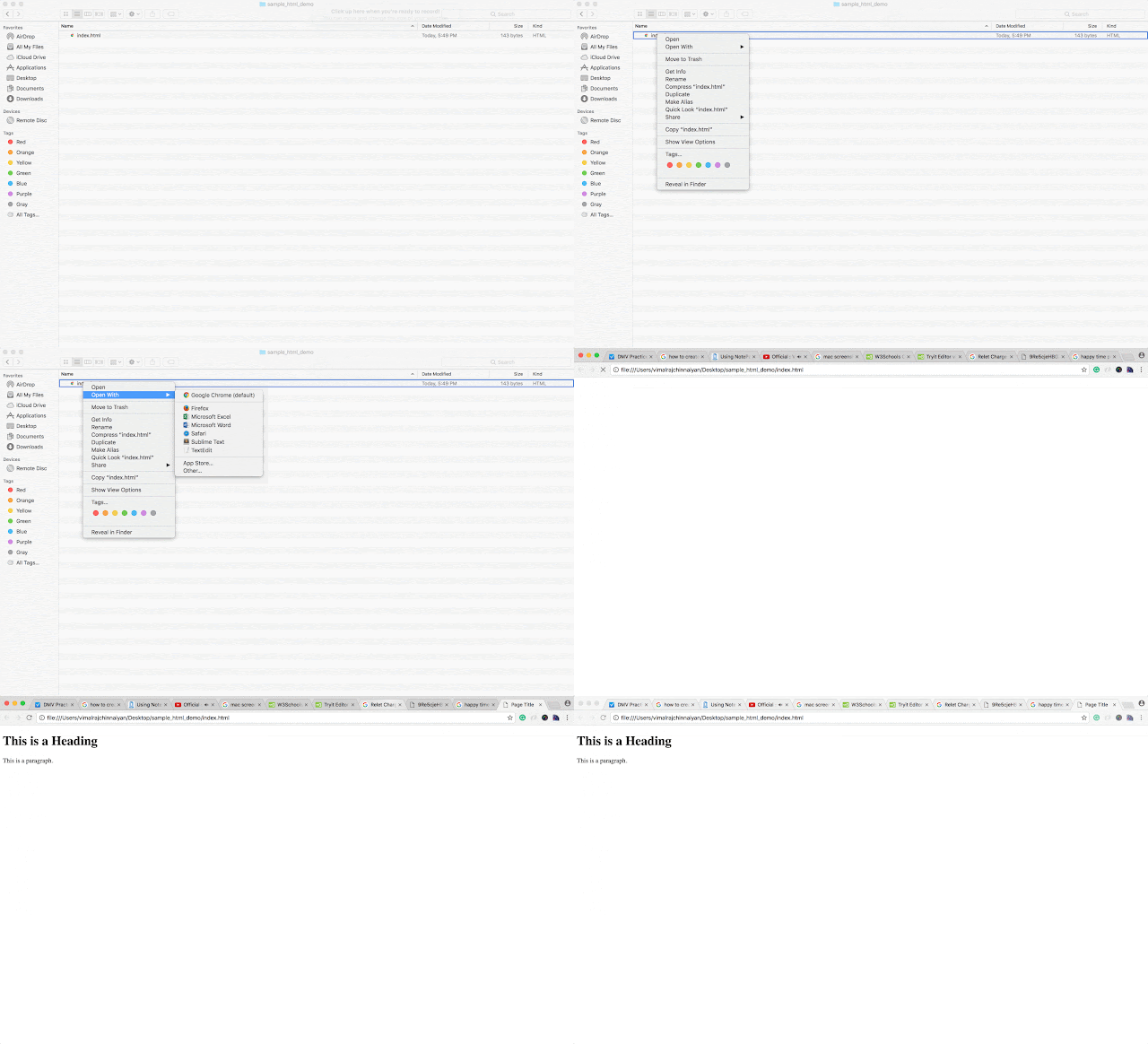
By using the above steps you can able to run the HTML file successfully in browsers. After compiling the page successfully, you can see the page in the browser.