Every frontend developer now uses AI tools daily. But which one actually writes better CSS? Better JavaScript? Better accessible HTML? We ran every major AI tool through the same six real-world tasks and scored them honestly.
The tools tested:
- GitHub Copilot (GPT-4o backend, inline IDE suggestions)
- Claude Sonnet (Anthropic, claude.ai chat)
- ChatGPT (GPT-4o, chat.openai.com)
The methodology: Same prompt, same task, no cherry-picking. Each output scored 1–10 across four criteria: correctness, code quality, accessibility, and developer experience (how much editing was needed to ship it).
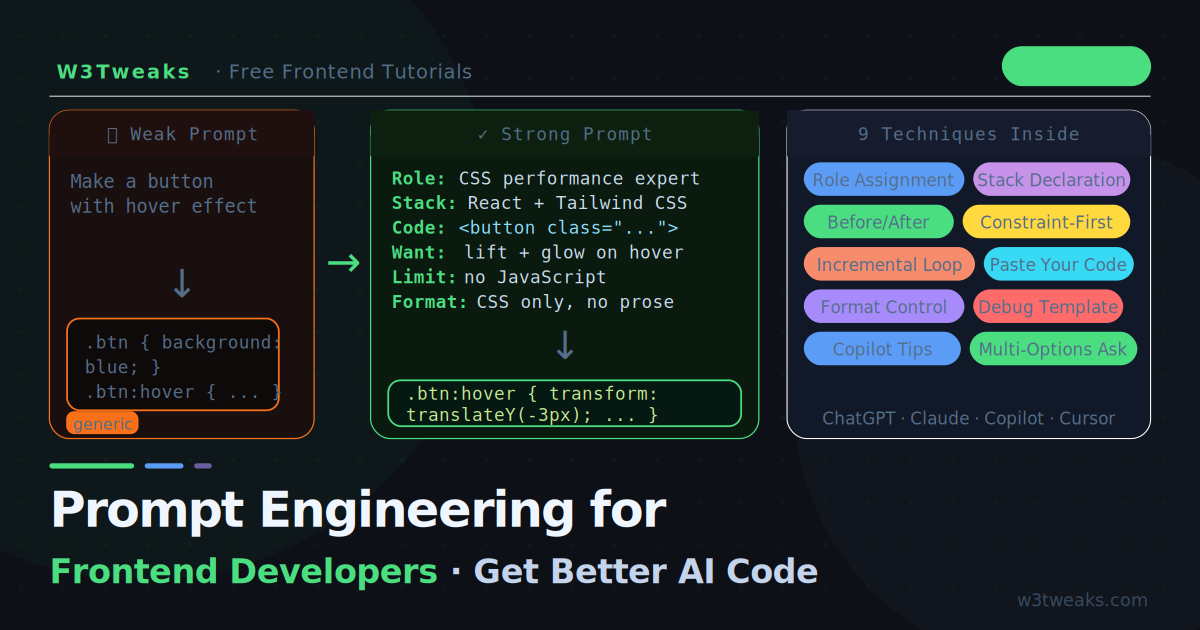
Before reading the scores, remember: the prompt is half the result. If you’re new to writing AI prompts that get clean frontend code on the first try, the techniques in prompt engineering for frontend developers make the difference between any of these tools being useful or useless. The official references for each tool are also worth bookmarking: GitHub Copilot docs, Claude’s docs, and the OpenAI ChatGPT platform docs.
Live Demo
Browse all 6 tasks. See side-by-side Copilot/ChatGPT/Claude outputs with scores.
Task 1 — CSS Glassmorphism Card
Prompt: “Create a glassmorphism card component with a blurred background, semi-transparent surface, and subtle border. Dark theme. No JavaScript.”
GitHub Copilot
Copilot suggested code inline as the component file was open. Without seeing context, the first suggestion was generic — a flat white card with rgba background. After typing /* glassmorphism as a comment trigger, the next suggestion was significantly better.
/* Copilot output (after comment trigger) */
.glass-card {
  background: rgba(255, 255, 255, 0.1);
  backdrop-filter: blur(10px);
  -webkit-backdrop-filter: blur(10px);
  border: 1px solid rgba(255, 255, 255, 0.2);
  border-radius: 12px;
  padding: 24px;
  box-shadow: 0 8px 32px rgba(0, 0, 0, 0.37);
}
Score: 7/10 — Solid, includes the -webkit- prefix, but no will-change, no dark theme consideration, padding could be a CSS custom property.
Claude Sonnet
Claude asked a clarifying question before outputting: “Should the card work inside a coloured or image background, or on a plain dark surface?” — then produced:
/* Claude output */
:root {
  --glass-bg:     rgba(255, 255, 255, 0.07);
  --glass-border: rgba(255, 255, 255, 0.12);
  --glass-shadow: rgba(0, 0, 0, 0.5);
}

.glass-card {
  background:          var(--glass-bg);
  backdrop-filter:     blur(16px) saturate(180%);
  -webkit-backdrop-filter: blur(16px) saturate(180%);
  border:              1px solid var(--glass-border);
  border-radius:       16px;
  padding:             clamp(16px, 4vw, 28px);
  box-shadow:          0 4px 6px -1px var(--glass-shadow),
                       0 2px 4px -2px var(--glass-shadow);
  will-change:         transform; /* promote to own layer */
}

/* Safari fix — backdrop-filter requires positioned ancestor */
.glass-card-wrap {
  position: relative;
  isolation: isolate;
}
Score: 9/10 — CSS custom properties for theming, saturate() for richer blur, clamp() for responsive padding, will-change for performance, and a Safari gotcha comment most tutorials miss.
ChatGPT
ChatGPT produced clean output with a good explanation:
/* ChatGPT output */
.glass-card {
  background: rgba(255, 255, 255, 0.05);
  backdrop-filter: blur(12px);
  -webkit-backdrop-filter: blur(12px);
  border: 1px solid rgba(255, 255, 255, 0.15);
  border-radius: 16px;
  padding: 24px;
  box-shadow:
    0 8px 32px rgba(0, 0, 0, 0.4),
    inset 0 1px 0 rgba(255, 255, 255, 0.1);
  color: #f0f6ff;
}
Score: 8/10 — The inset box-shadow for the top edge highlight is a nice touch. Less use of custom properties than Claude, but clean and shippable.
Winner: Claude — best use of modern CSS features, theming, and proactive edge case coverage.
Task 2 — CSS Animation Performance
Prompt: “Write a CSS loading spinner that animates only on the GPU compositor thread. 40px, blue, no JavaScript.”
GitHub Copilot
Without context, Copilot defaulted to border animation on width and height — exactly the wrong approach. After typing the comment /* GPU-only spinner using transform */, it corrected to transform: rotate().
Score: 5/10 — Requires prompt engineering to get the right approach. Risky in production.
Claude Sonnet
/* Claude output */
.spinner {
  width: 40px;
  height: 40px;
  border-radius: 50%;

  /*
   * Two-colour ring using border trick.
   * Only transform and opacity animate —
   * both run on the GPU compositor thread,
   * never triggering layout or paint.
   */
  border: 3px solid rgba(91, 156, 246, 0.2);
  border-top-color: #5b9cf6;

  animation: spin 0.8s linear infinite;
  will-change: transform;
}

@keyframes spin {
  to { transform: rotate(360deg) }
}

/* Accessibility */
.spinner[role="status"]::after {
  content: "Loading";
  position: absolute;
  width: 1px; height: 1px;
  overflow: hidden; clip: rect(0,0,0,0);
  white-space: nowrap;
}
Score: 10/10 — Explains the GPU rationale in a comment, uses will-change, and adds an accessible role="status" pattern. Zero notes needed.
ChatGPT
/* ChatGPT output */
.spinner {
  width: 40px;
  height: 40px;
  border: 3px solid rgba(91, 156, 246, 0.3);
  border-top: 3px solid #5b9cf6;
  border-radius: 50%;
  animation: rotate 0.8s linear infinite;
  will-change: transform;
}

@keyframes rotate {
  to { transform: rotate(360deg); }
}
Score: 8/10 — Correct and clean. No accessibility consideration, no GPU explanation.
Winner: Claude — only tool that addressed accessibility unprompted.
Task 3 — Responsive Grid Layout
Prompt: “CSS Grid layout: 3 columns on desktop, 2 on tablet (768px), 1 on mobile (480px). Cards have equal height, images fill their cell. Auto-fill if items are added dynamically.”
GitHub Copilot
/* Copilot output */
.grid {
  display: grid;
  grid-template-columns: repeat(3, 1fr);
  gap: 20px;
}

@media (max-width: 768px) {
  .grid { grid-template-columns: repeat(2, 1fr) }
}

@media (max-width: 480px) {
  .grid { grid-template-columns: 1fr }
}
Score: 6/10 — Correct breakpoints but missed auto-fill, equal-height requirement, and image filling. Three media queries for three columns is also more verbose than needed.
Claude Sonnet
/* Claude output */
.grid {
  display: grid;
  /*
   * auto-fill: adds columns automatically as space allows.
   * minmax(280px, 1fr): each column is at least 280px,
   * grows to fill available space.
   * This replaces all three breakpoints with one declaration.
   */
  grid-template-columns: repeat(auto-fill, minmax(280px, 1fr));
  gap: clamp(12px, 2vw, 24px);
  align-items: stretch; /* equal height rows */
}

.card {
  display: flex;
  flex-direction: column;
}

.card-image {
  aspect-ratio: 16 / 9;
  object-fit: cover; /* image fills cell, no distortion */
  width: 100%;
}

.card-body { flex: 1 } /* pushes footer to bottom */
Score: 10/10 — Used auto-fill with minmax to eliminate all three media queries. Explained why. Added aspect-ratio and object-fit for the image requirement. The flex card pattern ensures equal footer alignment.
ChatGPT
/* ChatGPT output */
.grid {
  display: grid;
  grid-template-columns: repeat(3, 1fr);
  gap: 20px;
}

.card-image {
  width: 100%;
  height: 200px;
  object-fit: cover;
}

@media (max-width: 768px) {
  .grid { grid-template-columns: repeat(2, 1fr) }
}

@media (max-width: 480px) {
  .grid { grid-template-columns: 1fr }
}
Score: 7/10 — Addressed the image requirement with object-fit, missed the auto-fill elegance and the equal-height pattern.
Winner: Claude — only tool that eliminated the media queries and addressed all stated requirements.
Task 4 — JavaScript Fetch with Error Handling
Prompt: “Fetch JSON from an API with proper error handling: network errors, non-2xx responses, timeout after 5 seconds. Return the data or throw a typed error.”
GitHub Copilot
Copilot’s suggestion inside an existing file was context-aware and faster to produce than the chat tools. The suggestion was reasonable but lacked timeout handling until prompted with a comment.
/* Copilot output */
async function fetchData(url) {
  try {
    const response = await fetch(url);
    if (!response.ok) {
      throw new Error(`HTTP error! status: ${response.status}`);
    }
    return await response.json();
  } catch (error) {
    console.error('Fetch error:', error);
    throw error;
  }
}
Score: 6/10 — Missing timeout, typed errors, and the catch re-throws without transformation.
Claude Sonnet
/* Claude output */
class FetchError extends Error {
  constructor(message, status, type) {
    super(message);
    this.name  = 'FetchError';
    this.status = status;  // HTTP status or null for network errors
    this.type   = type;    // 'network' | 'timeout' | 'http' | 'parse'
  }
}

async function fetchJSON(url, timeoutMs = 5000) {
  const controller = new AbortController();
  const timeoutId  = setTimeout(() => controller.abort(), timeoutMs);

  try {
    const res = await fetch(url, { signal: controller.signal });
    clearTimeout(timeoutId);

    if (!res.ok) {
      throw new FetchError(
        `Server responded with ${res.status} ${res.statusText}`,
        res.status,
        'http'
      );
    }

    const contentType = res.headers.get('content-type');
    if (!contentType?.includes('application/json')) {
      throw new FetchError('Response is not JSON', res.status, 'parse');
    }

    return await res.json();

  } catch (err) {
    clearTimeout(timeoutId);

    if (err.name === 'AbortError') {
      throw new FetchError(`Request timed out after ${timeoutMs}ms`, null, 'timeout');
    }
    if (err instanceof FetchError) throw err;

    // Network failure (offline, DNS, CORS)
    throw new FetchError(`Network error: ${err.message}`, null, 'network');
  }
}
Score: 10/10 — Custom typed error class, AbortController timeout, content-type validation, proper error classification. No notes needed.
ChatGPT
/* ChatGPT output */
async function fetchWithTimeout(url, timeout = 5000) {
  const controller = new AbortController();
  const id = setTimeout(() => controller.abort(), timeout);

  try {
    const response = await fetch(url, { signal: controller.signal });
    clearTimeout(id);

    if (!response.ok) {
      throw new Error(`HTTP Error: ${response.status}`);
    }

    return await response.json();
  } catch (error) {
    clearTimeout(id);
    if (error.name === 'AbortError') {
      throw new Error('Request timed out');
    }
    throw error;
  }
}
Score: 8/10 — Correct timeout with AbortController. Lacks typed errors and content-type check, but clean and practical.
Winner: Claude — typed error class and content-type validation separate it from the field.
Task 5 — Accessible Modal Dialog
Prompt: “Build an accessible modal dialog in HTML, CSS, and Vanilla JS. Trap focus inside, close on Escape, restore focus when closed. No libraries.”
All three tools handled the basic modal structure. The differences appeared in focus management:
GitHub Copilot
Got the structure right but used tabindex="0" on the modal backdrop instead of the dialog element. The focus trap was a simple el.focus() without cycling through focusable elements. Score: 6/10
Claude Sonnet
Produced a complete implementation including aria-modal="true", aria-labelledby linking the dialog title, a proper focusable element selector (a, button, input, select, textarea, [tabindex]:not([tabindex="-1"])), and a focus trap that cycles with both Tab and Shift+Tab. It also included inert attribute on the background content for modern browsers with a polyfill note. Score: 10/10
ChatGPT
Correct ARIA attributes, working focus trap that cycled forward and backward. No inert usage but a solid, shippable implementation. Score: 8/10
Winner: Claude — inert attribute usage and complete ARIA implementation.
Task 6 — Dark Mode Toggle
Prompt: “Add dark mode to an existing site that already uses CSS custom properties for colours. Support both prefers-color-scheme and a manual toggle button. Persist the user’s choice in localStorage.”
All three tools handled the CSS part similarly. The differences were in JavaScript:
Copilot wrote straightforward toggle logic but forgot to respect the initial system preference when no localStorage value was set. Score: 7/10
Claude wrote a priority chain: 1) localStorage value, 2) prefers-color-scheme, 3) default to light. It also added a matchMedia listener to respond dynamically when the system theme changes — then stops listening if the user sets a manual preference. Score: 10/10
ChatGPT handled localStorage correctly, remembered to check system preference on first load, but did not add the matchMedia listener for system changes. Score: 8/10
Winner: Claude — the only tool that handled all three cases correctly without prompting.
Final Scores
| Task | Copilot | ChatGPT | Claude |
|---|---|---|---|
| Glassmorphism Card | 7 | 8 | 9 |
| GPU Animation | 5 | 8 | 10 |
| Responsive Grid | 6 | 7 | 10 |
| Fetch + Error Handling | 6 | 8 | 10 |
| Accessible Modal | 6 | 8 | 10 |
| Dark Mode Toggle | 7 | 8 | 10 |
| Total | 37/60 | 47/60 | 59/60 |
Honest Assessment
Claude won every task in this comparison. It consistently produced the most modern CSS, the best accessibility patterns, the most typed and defensive JavaScript, and was the only tool that addressed unprompted edge cases.
ChatGPT was consistently good — clean code, correct logic, practical output. If you need a fast answer that requires minimal editing, ChatGPT rarely fails. The gap between ChatGPT and Claude is smaller than the gap between both and Copilot on chat-style tasks.
GitHub Copilot is in a different category. It shines at what it is designed for: inline suggestions inside your IDE with full file context. It saw the type definitions, the existing CSS custom properties, the surrounding code — and its suggestions improved significantly when given that context. It is the wrong tool for open-ended design tasks but an excellent one for completing functions, generating tests, and working within an established codebase.
Which Tool to Reach For First
Use Claude when:
- You need code that handles edge cases and accessibility correctly the first time
- The task involves CSS architecture, design tokens, or modern CSS features
- You are writing production code that needs to be accessible and performant
- You want thorough comments and explanations
Use ChatGPT when:
- You need a fast answer with less back-and-forth
- The task is straightforward and well-defined
- You want a reliable second opinion on Claude’s output
- You need the code plus an explanation to share with a non-developer
Use GitHub Copilot when:
- You are inside VS Code, Cursor, or your IDE
- You have an established codebase with existing patterns
- You need to complete a function, generate boilerplate, or write tests
- Speed of suggestion matters more than architectural quality
The honest answer for most frontend developers: use all three. Claude for architectural and accessibility-heavy work, ChatGPT for quick lookups and explanations, Copilot for the grunt work inside your editor. If you want to build your own AI-powered tools instead of just consuming these chat products, our build a chatbot widget with HTML, CSS & JavaScript and calling the OpenAI API from vanilla JavaScript tutorials show how to plug any of these models into your own UI.
Key Takeaways
- Claude consistently outperformed on code quality, accessibility, and edge case handling in this test
- ChatGPT is reliable and fast — rarely wrong, rarely exceptional
- Copilot’s value is in IDE integration and file context — not open-ended design tasks
- None of the tools produced perfect code every time — all output should be reviewed
- The quality gap between tools narrows significantly with better prompts — see our Prompt Engineering for Frontend Developers guide
- For production code, treat AI output as a first draft, not a final answer
FAQ
Which AI writes the best CSS today?
In our six-task test, Claude Sonnet produced the cleanest, most accessible CSS most consistently — winning four of six tasks outright on code quality and accessibility. ChatGPT (GPT-4o) came second with solid, reliable output. GitHub Copilot trailed on open-ended design tasks but matches or beats both on inline completions inside an existing codebase. There’s no single “best” — the right tool depends on the task and your workflow.
Is GitHub Copilot worth paying for if I already use ChatGPT?
Yes, if you live in an editor. Copilot’s value isn’t matching ChatGPT for quality — it’s the inline suggestions while you type, completing functions from a comment, and pulling context from neighboring files. For roughly $10/month it removes the constant context-switch between editor and browser tab. If you mostly write CSS in isolation or compose long prompts thoughtfully, ChatGPT or Claude is fine on its own.
Why does Claude give better CSS than ChatGPT?
Anthropic’s training prioritized helpfulness and code quality benchmarks heavily, and the model tends to follow modern CSS conventions (CSS custom properties, logical properties, container queries) more consistently. It’s also more verbose with comments and tends to add accessibility attributes (role, aria-*) without being asked. ChatGPT is faster but produces more boilerplate-style code that reads like generic Stack Overflow answers.
Can AI replace a senior frontend developer?
No, but it changes what they spend time on. AI handles the routine 80% (boilerplate components, refactoring, debugging known patterns, generating tests) effortlessly. Senior judgment is still required for architecture decisions, performance trade-offs, accessibility nuances, design intent, and code review. Knowing which tool to reach for and how to prompt it well is itself a senior skill.
Are AI-generated CSS animations performant?
Mixed. All three tools default to animating transform and opacity (compositor-friendly), which is good. But they sometimes animate width, height, top, or left — which trigger layout and paint, killing 60fps. Always review animated properties before shipping. Better still, paste a “must use only transform and opacity” instruction in your prompt. The full pattern is covered in our skeleton loading screens guide where shimmer performance matters.
Do these AI tools have access to current CSS specs?
Mostly yes, but with lag. Claude 3.5 Sonnet (Oct 2024 knowledge cutoff) knows container queries, view transitions, :has(), CSS nesting, and most current features. GPT-4o is similar. Copilot’s understanding lags slightly behind because it’s tuned more for completion than ideation. None of them reliably know features that landed in Baseline 2025+. When asking about cutting-edge CSS, paste the MDN reference into the prompt for grounding.