
From this tutorial, we will able to understand how to generate YouTube API keys for getting YouTube data. Once the Credentials are created we can write YouTube API code to fetch the data from YouTube server.
Find the steps to get the YouTube Credentials
Step 1: Login to https://console.developers.google.com using your google credentials
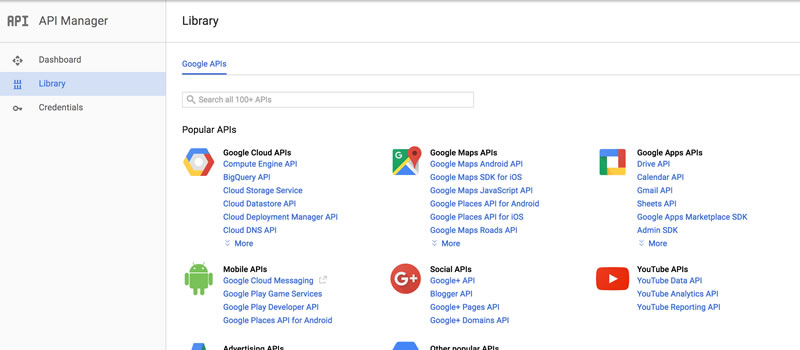
Step 2: Once you logged into the account you will see the below page.
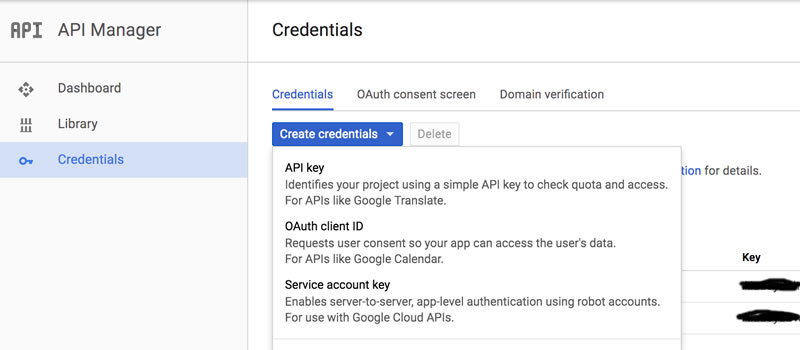
Step 3: Navigate to Credentials -> Create credentials -> API Key
Step 4: YouTube API key created
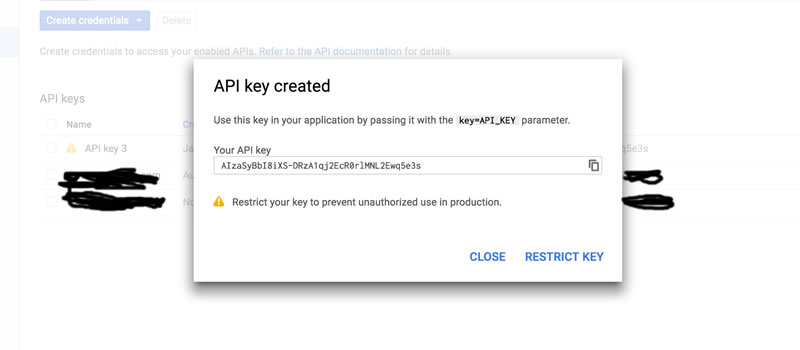
Note: If you want to restrict the keys to your website then click the button “RESTRICT KEY” and specify the website name that you want to use access the API key to particular websites